
Set up your association and committee
Start with a personal identity, the correct association and explicit permissions.
This guide shows how the association area works. The functions available to you depend on your role and your association’s activation.
What do you need first?
A reviewed joining request and a personal committee identity. A shared family sign-in receives no committee permissions.
Follow these steps
Open association management
Choose only an association you are authorised to manage. A matching name or email domain does not provide access to an existing association.
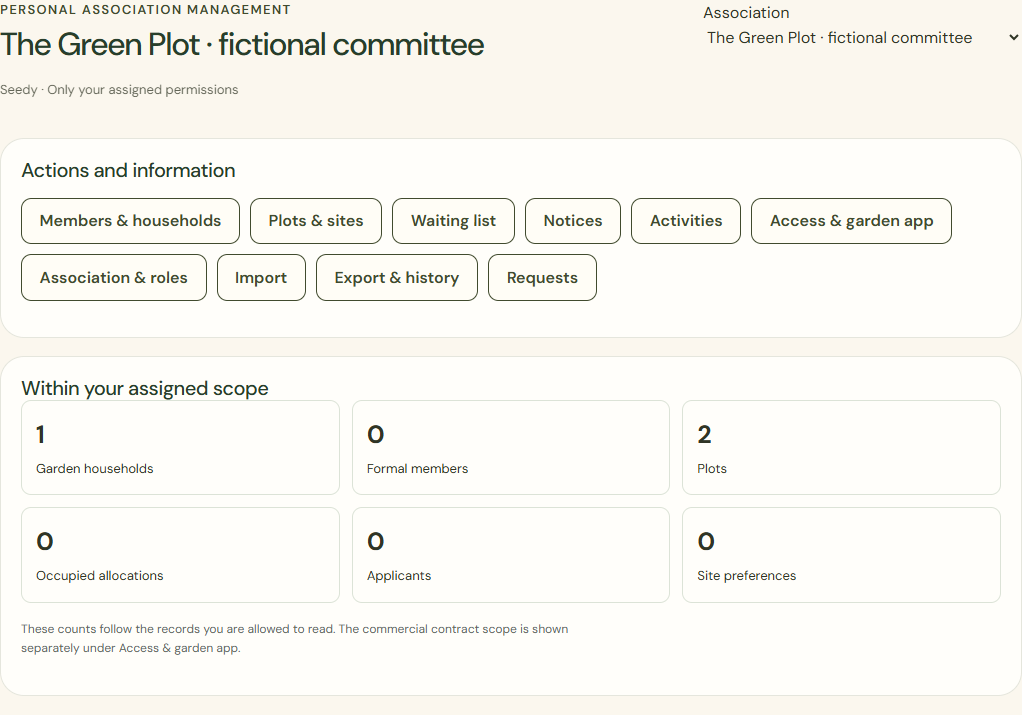
Desktop · Loaded committee workspace of a fictional association with the available committee tasks. 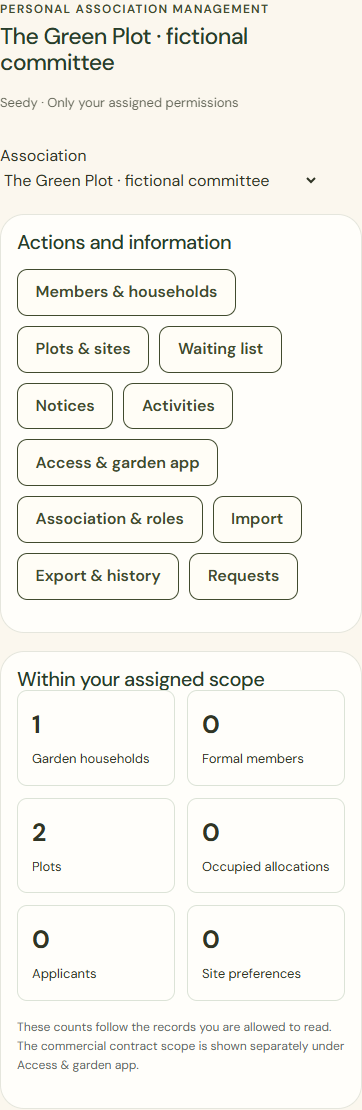
Mobile · Loaded committee workspace of a fictional association with the available committee tasks. Association & roles
Check individual committee members, their tasks and their scope across the association’s own sites.
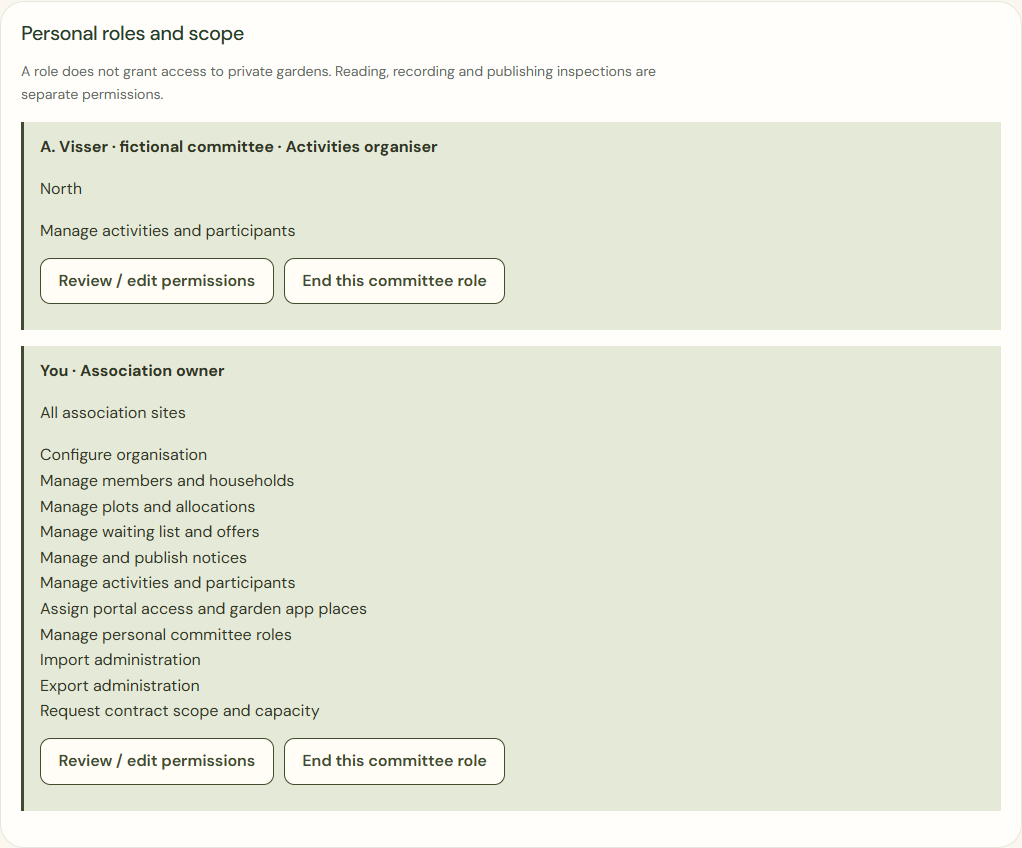
Desktop · Personal committee roles with separate permissions and site scope. 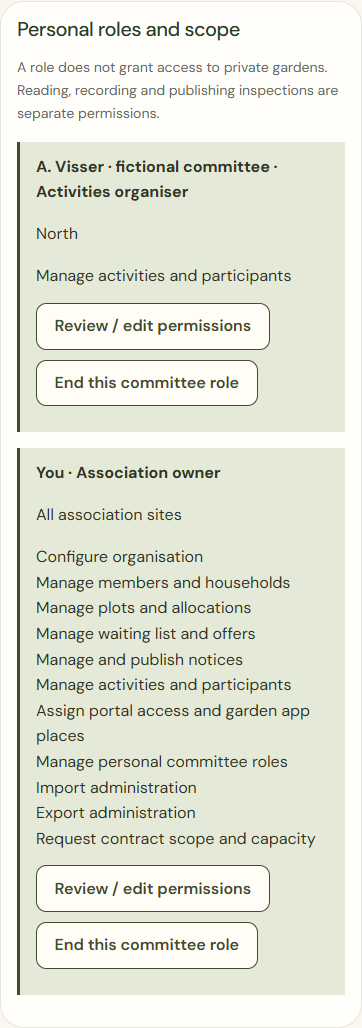
Mobile · Personal committee roles with separate permissions and site scope. Save
Review the proposed change and confirm only the permissions required. Selecting a role alone does not grant it.
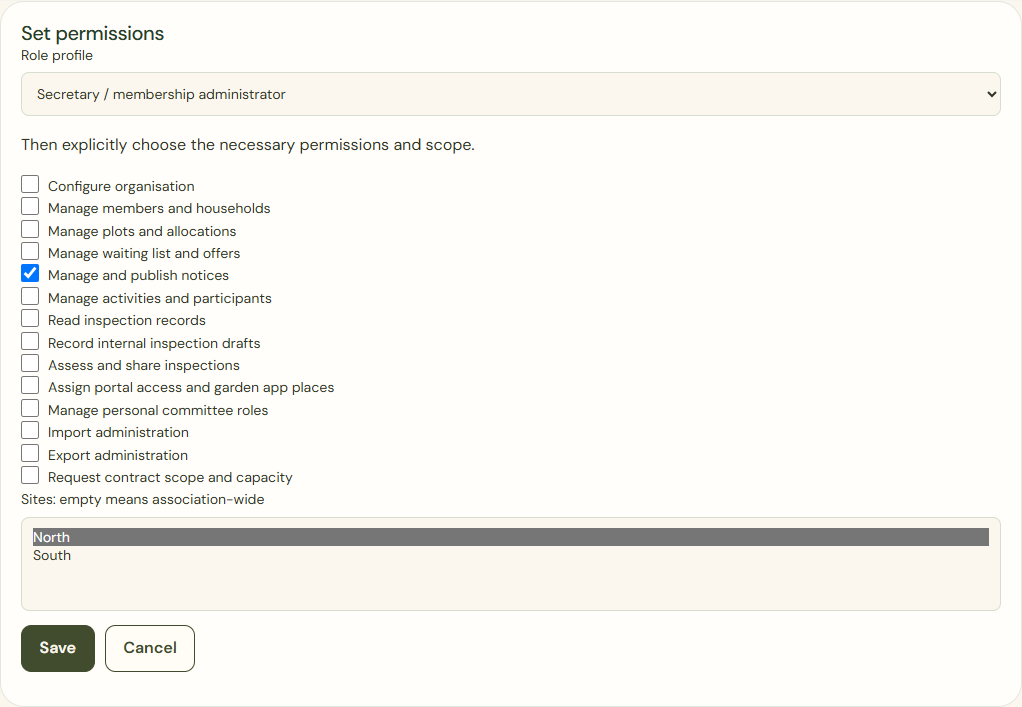
Desktop · Actual permissions form: only notice management for North selected, before deliberate saving. 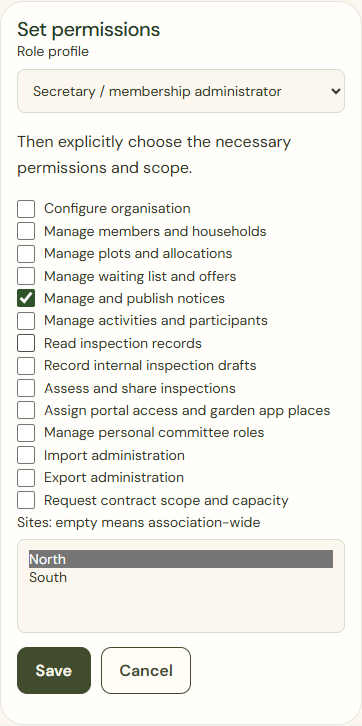
Mobile · Actual permissions form: only notice management for North selected, before deliberate saving.
What success looks like
Each administrator has a personal role with a clear scope. Independent associations remain separate.
Who can see this?
A committee role does not reveal private plans. An activities role does not automatically open inspection photos or exports.
If something goes wrong
No association or missing permission? Ask an authorised owner or use the reviewed joining process to restore access. Do not share an association password.