
Export records and hand over the committee
Check scope and succession. An export or role change does not transfer a private garden.
This guide shows how the association area works. The functions available to you depend on your role and your association’s activation.
What do you need first?
Explicit export permission, or authorised ownership for handover. The successor uses a checked personal identity.
Follow these steps
I have checked the necessary data and scope.
Choose records, site scope and reference date. Check the selection and format before generating.
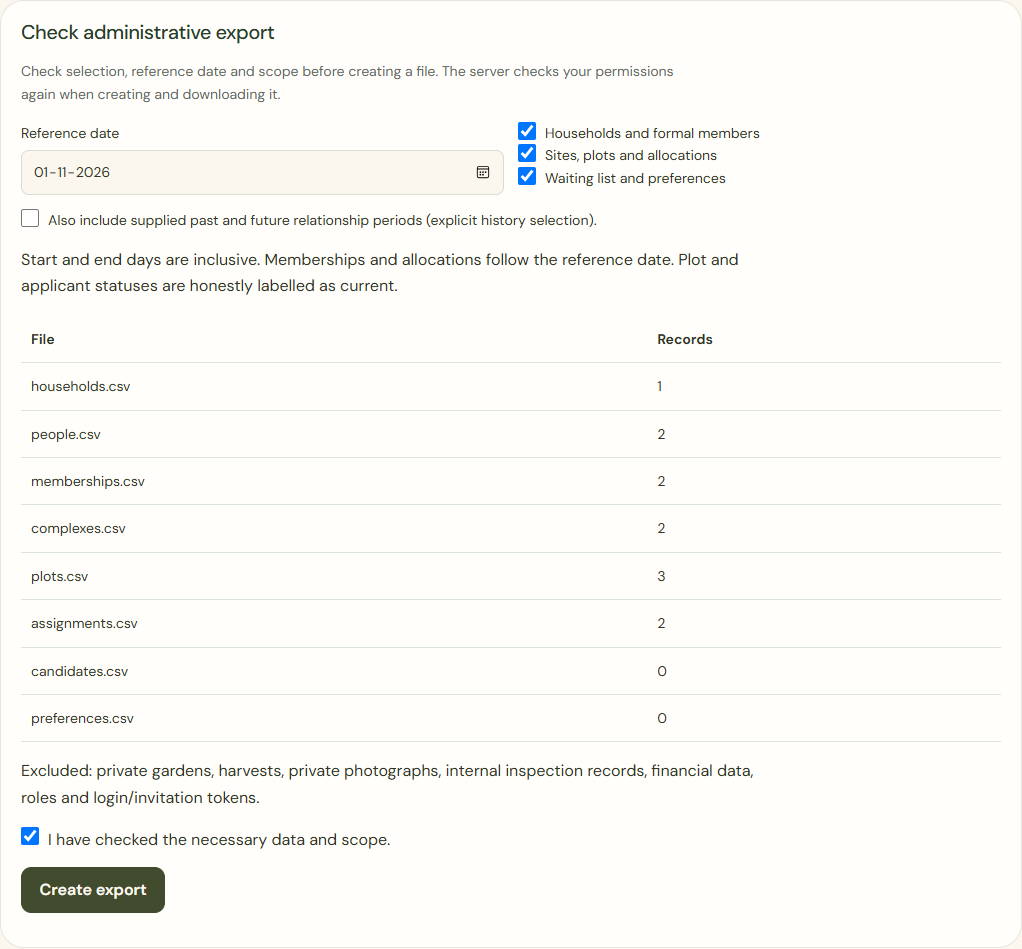
Desktop · Checked administrative export selection with reference date and counts before file creation. 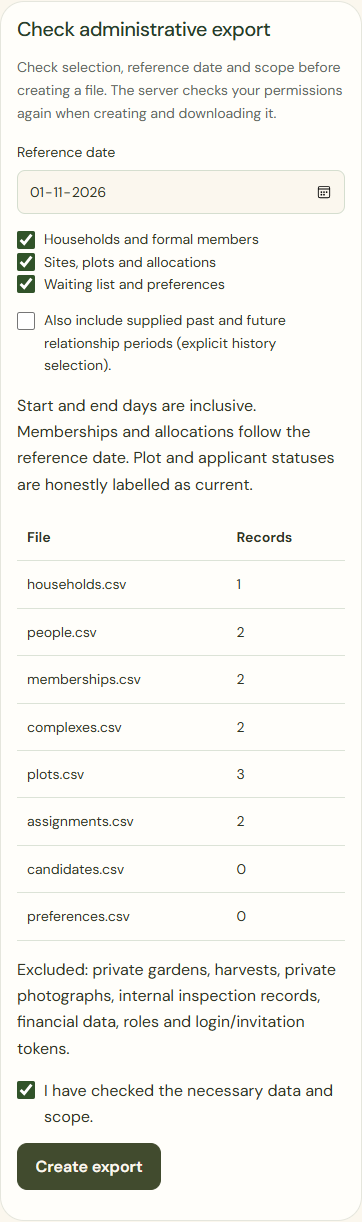
Mobile · Checked administrative export selection with reference date and counts before file creation. Create export
Wait for the actual ready status, then use Download file. An error does not broaden the selection.
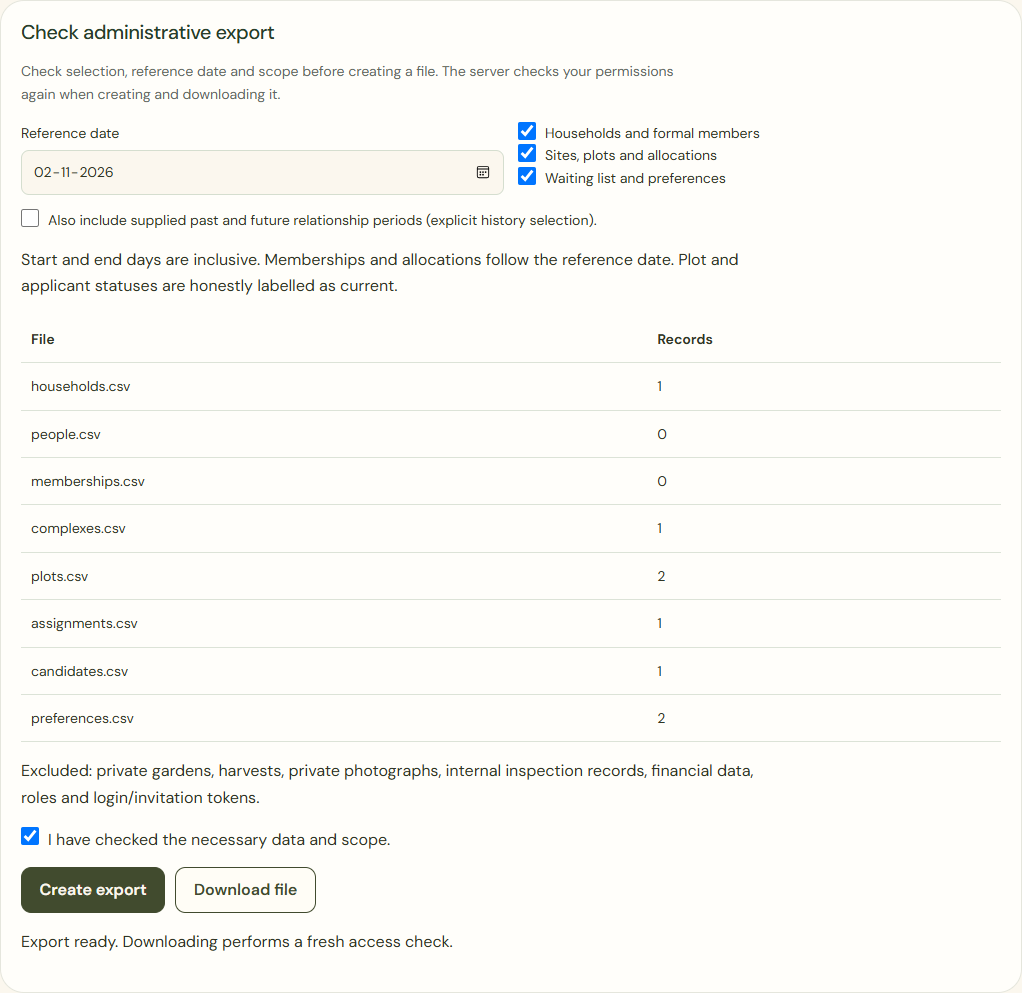
Desktop · Ready status after an actual administration export, with a separate download button and checked selection. 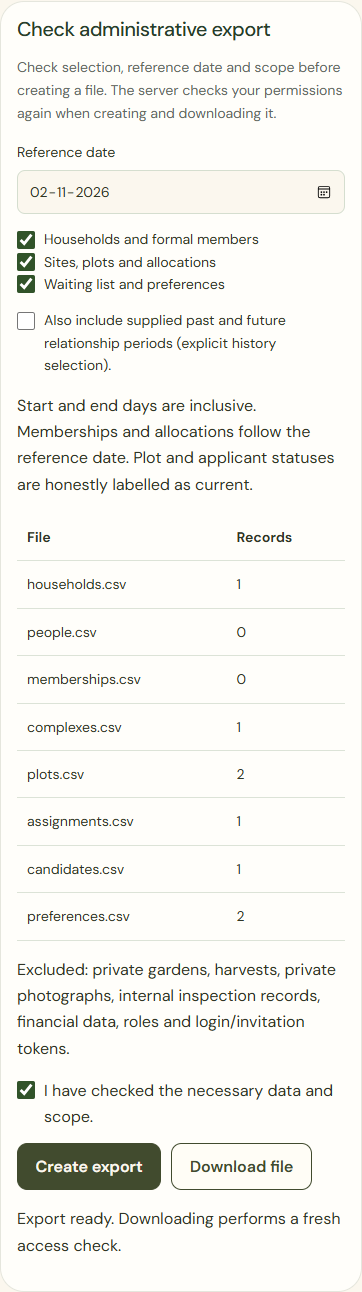
Mobile · Ready status after an actual administration export, with a separate download button and checked selection. Hand over ownership
Check the personal successor, acceptance, permissions and open tasks. Keep the last authorised owner until succession is complete.
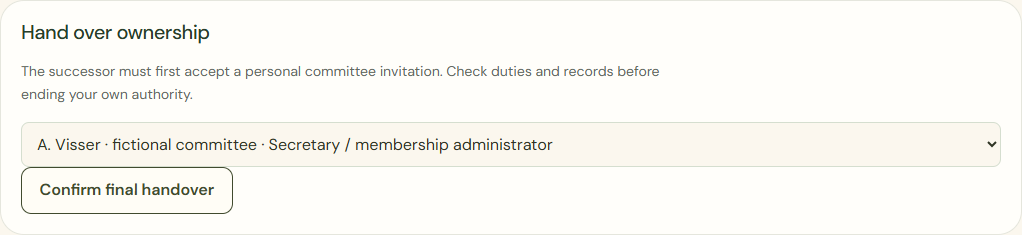
Desktop · Separate committee handover with an already accepted personal successor. 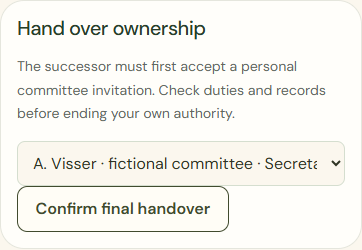
Mobile · Separate committee handover with an already accepted personal successor. Confirm final handover
Confirm only after the personal check. Not yet leaves existing permissions intact.
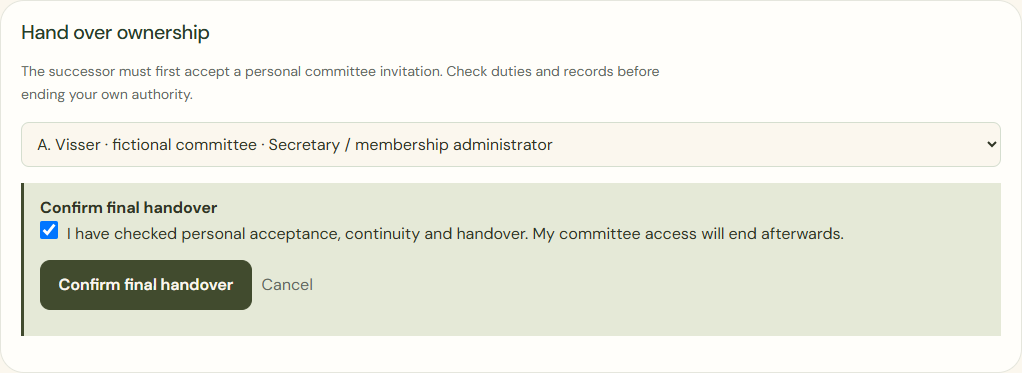
Desktop · Explicit final confirmation before ownership changes and the former committee role ends. 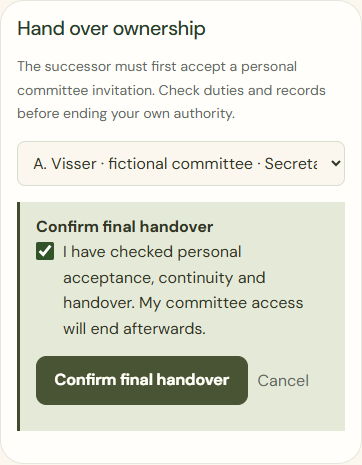
Mobile · Explicit final confirmation before ownership changes and the former committee role ends.
What success looks like
The export contains the checked selection. Handover records new and ended permissions traceably.
Who can see this?
Administrative exports exclude private plans, harvests, personal photos, financial items and inspection photos by default.
If something goes wrong
Missing permission or failed download? Retry within the same selection. An unconfirmed successor gets no permissions and is no reason to remove the last owner.