
Read and manage association documents
Find published regulations and minutes, review versions or prepare a checked draft.
You see only the parts that belong to your role. Your committee arranges access to the association.
What do you need first?
Reading requires a current authorised association relationship. A formal member without a garden or planner place can read association-wide member documents through their own portal. Reading committee documents, creating drafts and publishing have separate permissions. Only authorised editors and publishers see drafts.
Follow these steps
My association · Documents
Find a published document and open its card. View version selects an earlier available version. Open / download opens a file; Print text and version contains the displayed text and version, excluding your private workspace. Print attachments separately.
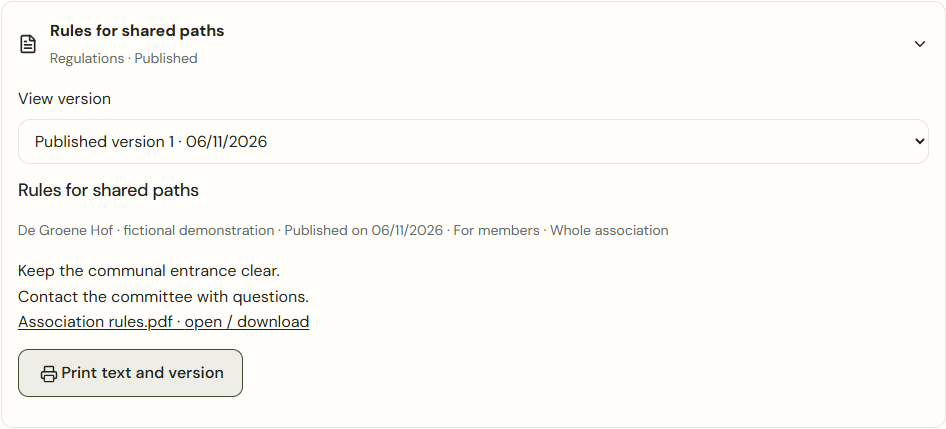
Desktop · Published association document with version selection, attachment and print action. 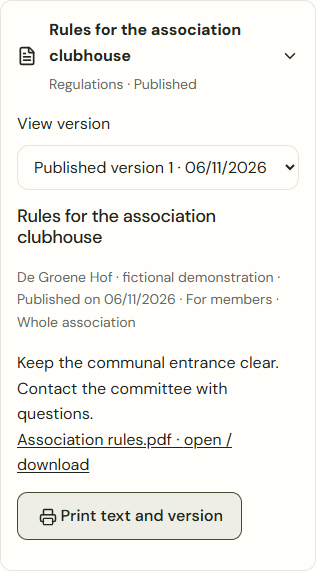
Mobile · Published association document with version selection, attachment and print action. Add document · Save draft
Open Documents in association management. Enter a title and text or attach a PDF, JPEG, PNG or WebP file up to 8 MB. Choose the audience and sites. Saving does not publish the draft.
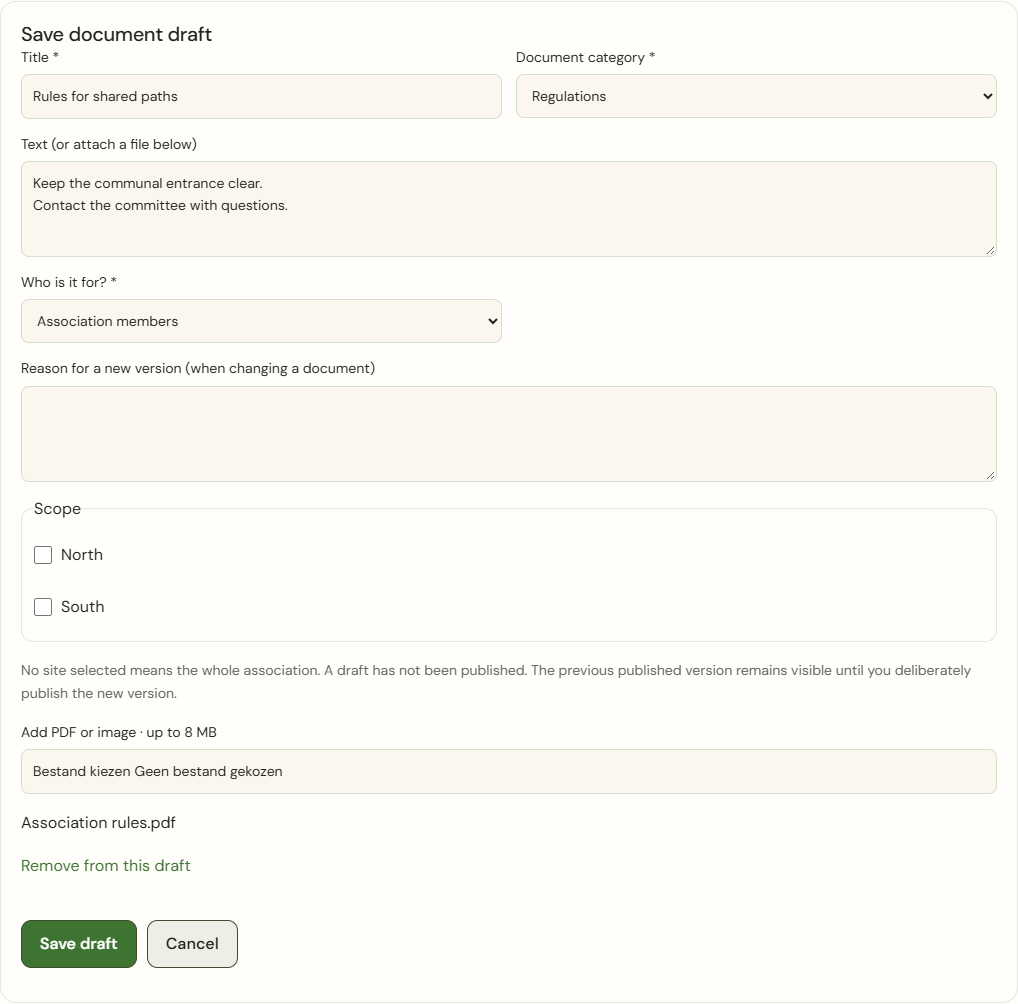
Desktop · Private document draft with text, audience, site scope and a PDF attachment. 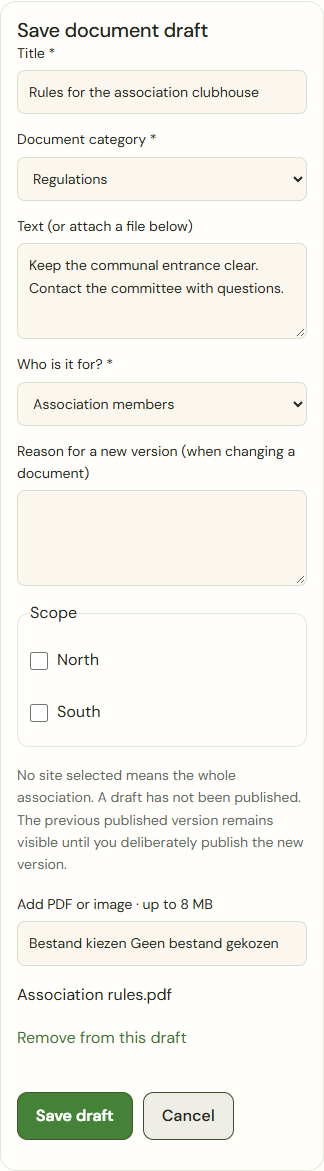
Mobile · Private document draft with text, audience, site scope and a PDF attachment. Publish draft · Create new version
Check the current draft version, files and audience, then confirm deliberately. A correction requires a reason; the previous published version remains available until the new version is published.
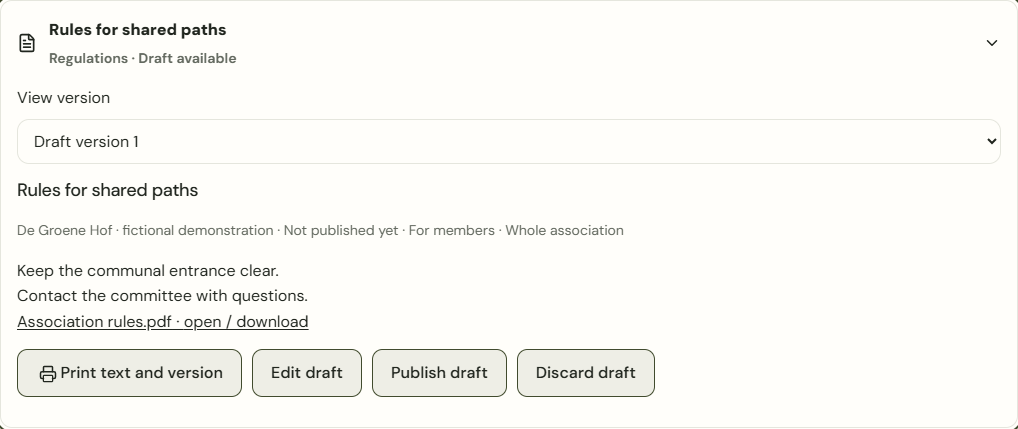
Desktop · Review the current document draft before publishing it. 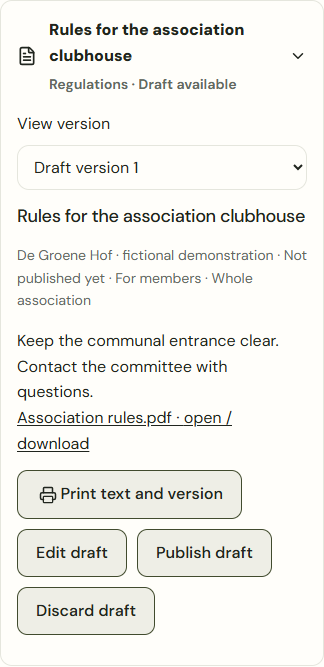
Mobile · Review the current document draft before publishing it. Withdraw document
An authorised publisher gives a reason and confirms withdrawal. The document, old versions and files become unavailable to readers. Authorised management can still find the history separately.
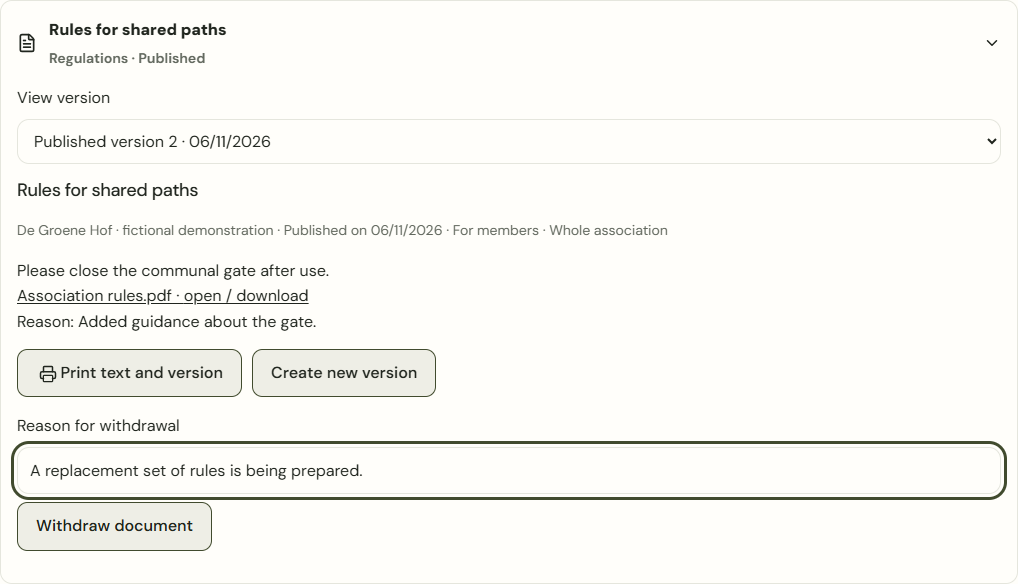
Desktop · Published document with a reason for withdrawal and the withdrawal action. 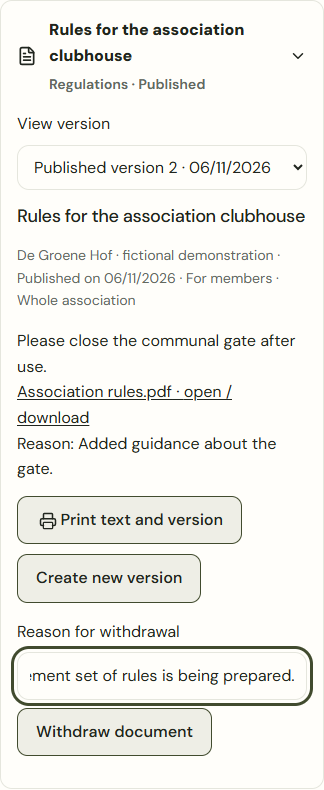
Mobile · Published document with a reason for withdrawal and the withdrawal action. Prepare meeting
Open Prepare meeting in Documents, or choose Add and Meeting. Enter the meeting date, venue, agenda and proposals. Save draft does not publish anything. Check the papers and audience before deliberately publishing the agenda.
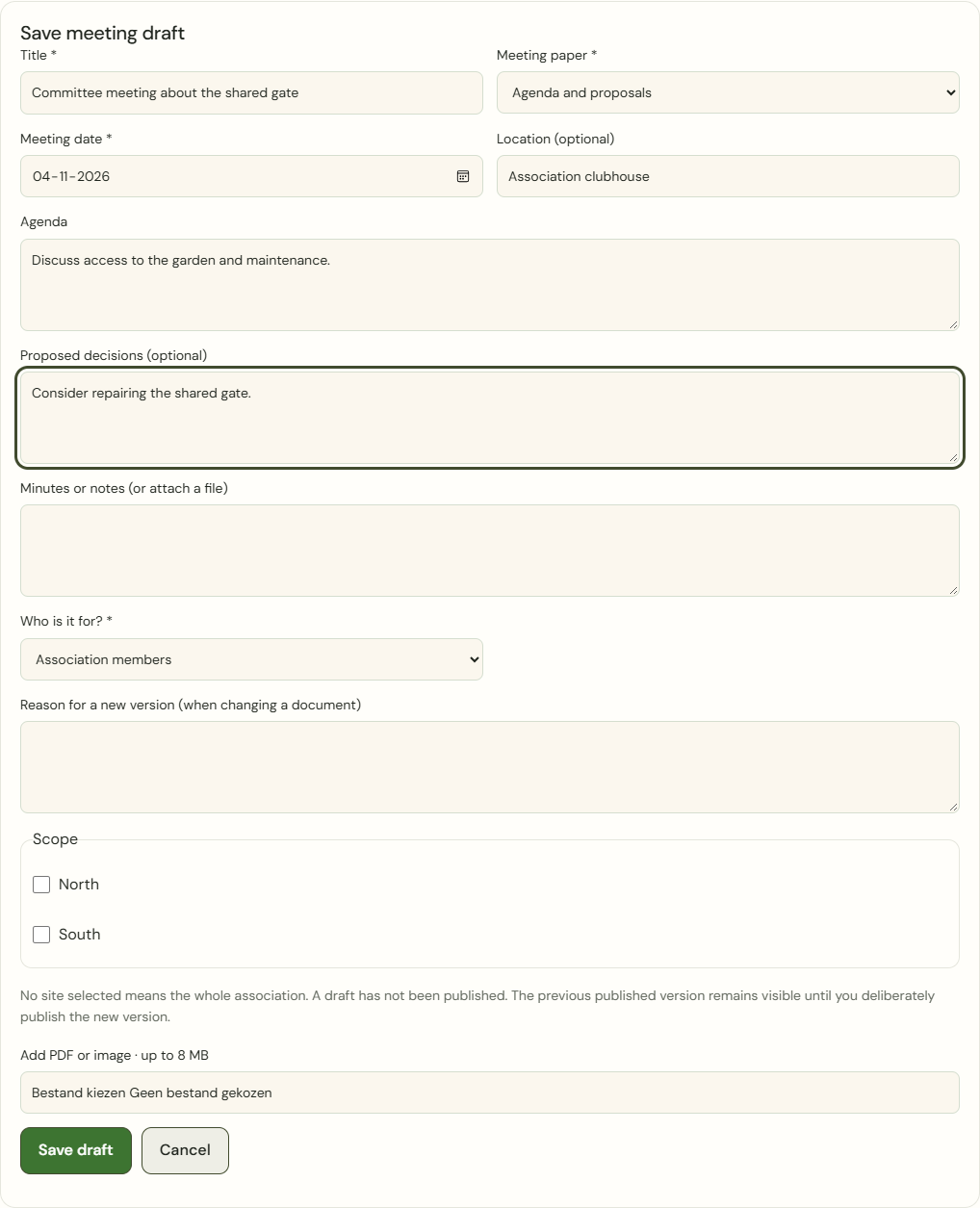
Desktop · Meeting draft with date, venue, agenda and proposed decisions. 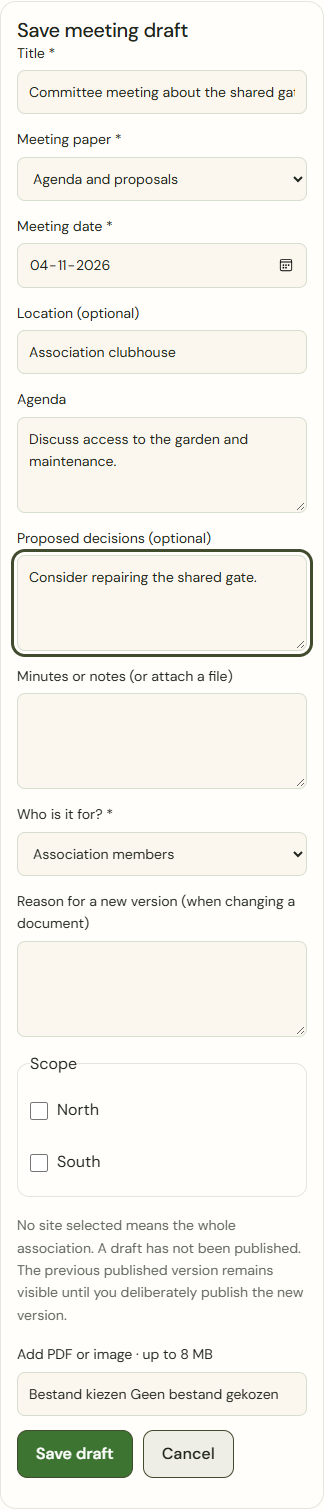
Mobile · Meeting draft with date, venue, agenda and proposed decisions. Create new version · Create follow-up task
Use a new version for approved minutes and decisions. After publication, an authorised task manager can choose Create follow-up task. Enter the specific action, assignee and due date. The task refers to that published minutes version; a later correction to the minutes does not change the link.
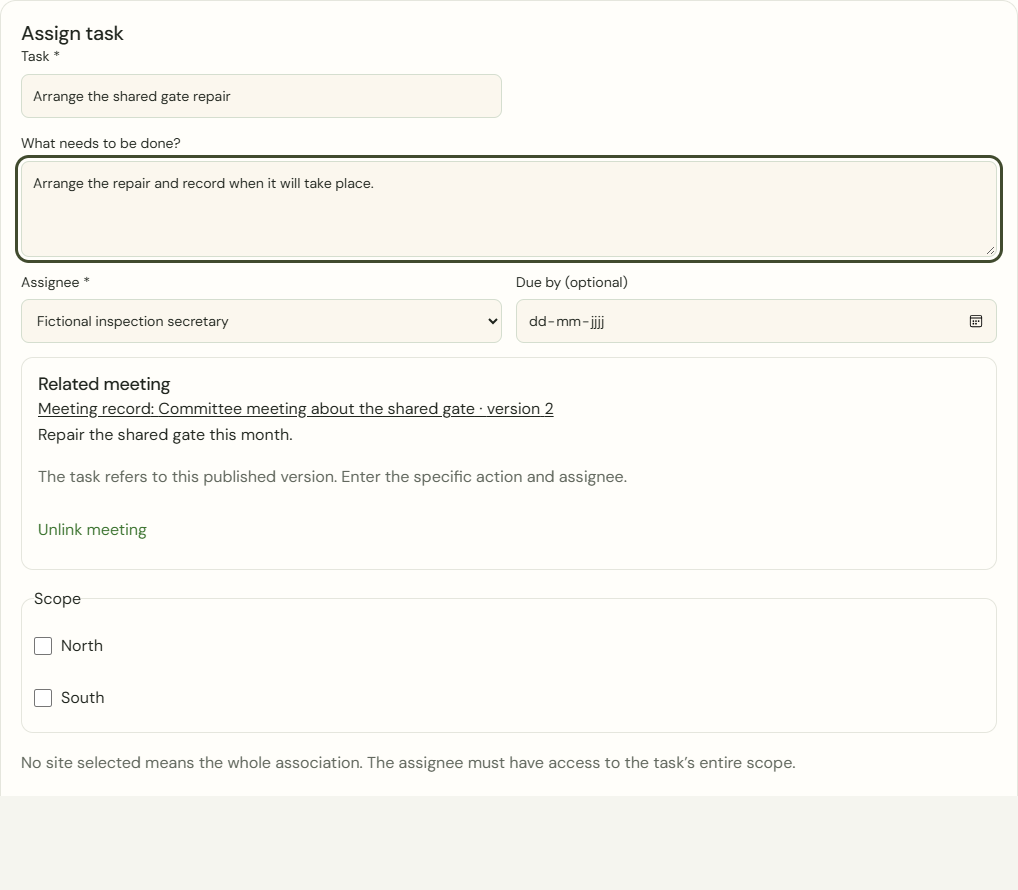
Desktop · Committee task linked to the published minutes version. 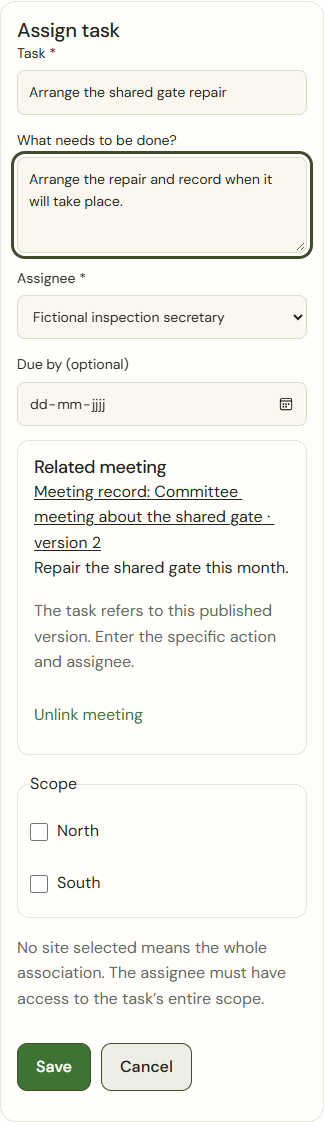
Mobile · Committee task linked to the published minutes version.
What success looks like
Readers see only available published versions for their audience and site scope.
Who can see this?
Drafts and internal committee documents do not appear in the member portal. An old file link does not grant lasting read access. Private gardens are not shared.
If something goes wrong
A connection error does not prove a document has been withdrawn. Check the connection and retry. If saving is uncertain, check the previous action first. If your access changes, the previous form closes. Copy the displayed edited text if needed; this copy stays only in this open page.