
Offer a plot to an applicant
Preparing, sending, answering and finally allocating an offer are separate actions.
This guide shows how the association area works. The functions available to you depend on your role and your association’s activation.
What do you need first?
A unique applicant with checked preferences and a suitable available plot. The applicant uses their own identity, not another household’s account.
Follow these steps
Prepare an offer
Check the applicant, site, plot, deadline and explainable order. Two site preferences do not make two applicants. Save using Prepare as draft; the applicant does not receive a final allocation.
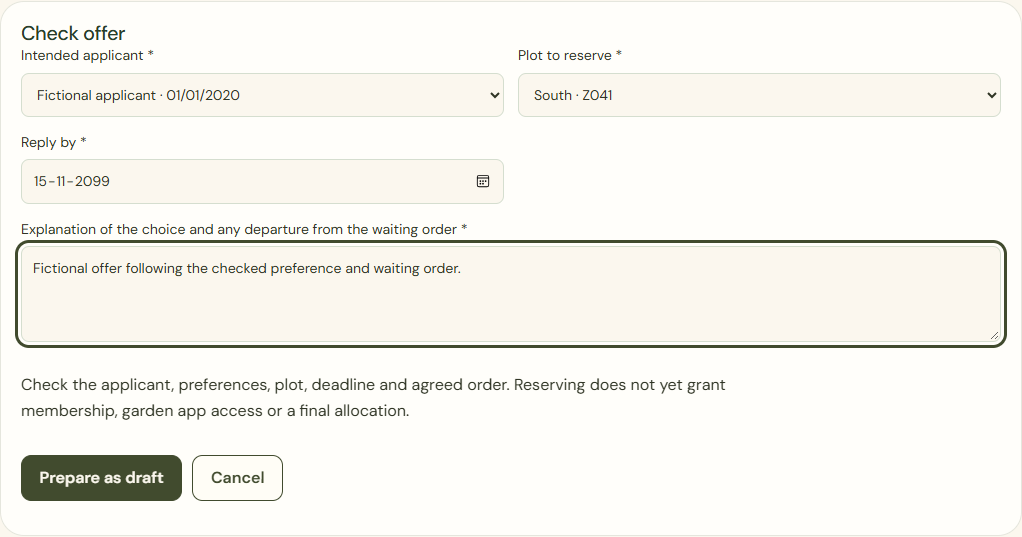
Desktop · Fictional plot offer before saving as a draft. 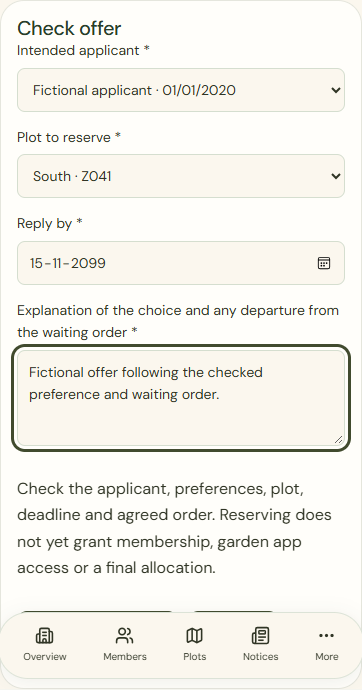
Mobile · Fictional plot offer before saving as a draft. Send / make offer available
Use the checked recipient and deadline. Print this offer is the separate non-digital route; record the actual contact method.
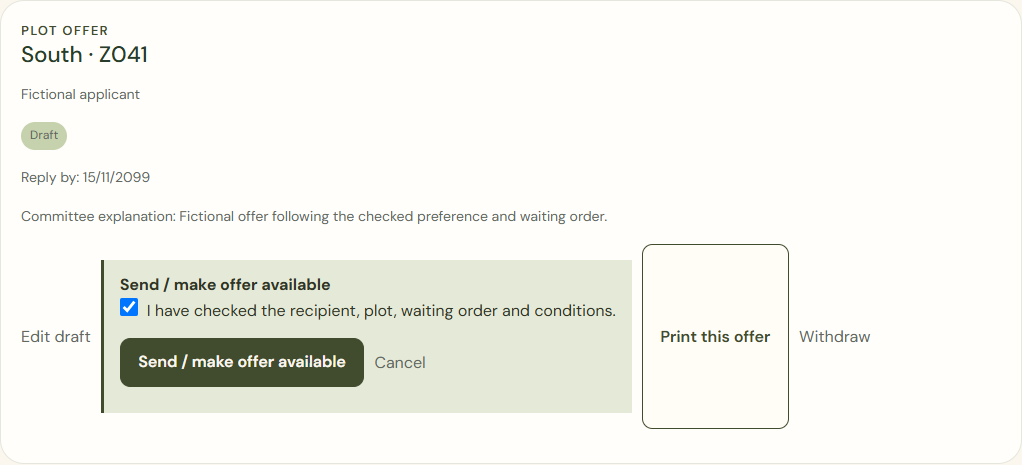
Desktop · Explicit committee confirmation to make the fictional offer available. 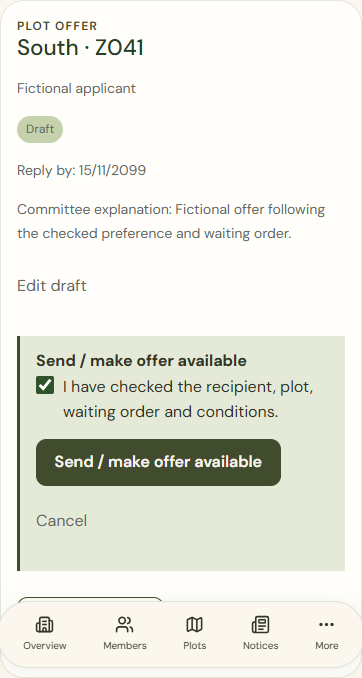
Mobile · Explicit committee confirmation to make the fictional offer available. My offer
The applicant reads the offered plot and reply deadline in their own portal, also through My offer. Other applicants remain hidden.
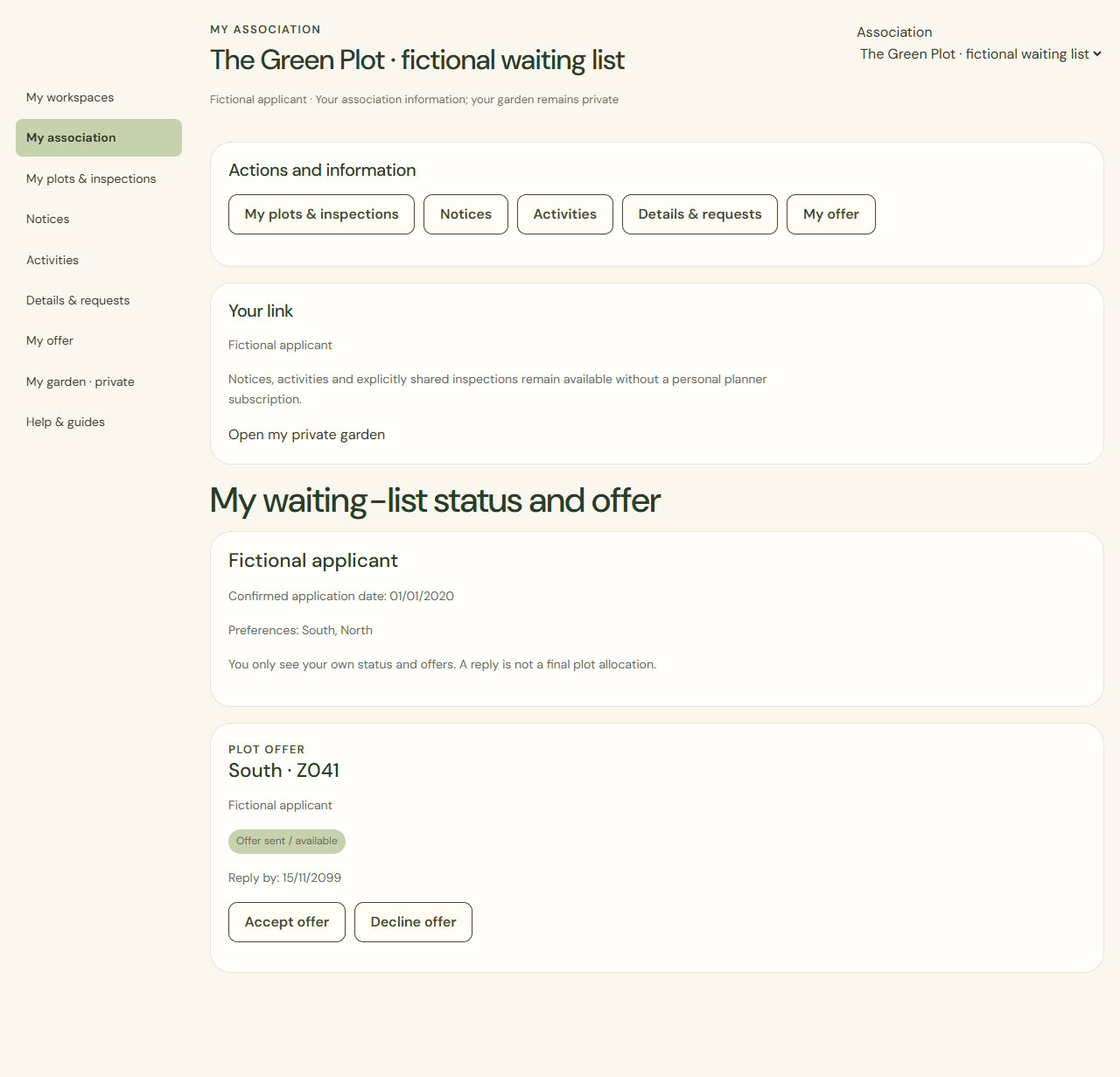
Desktop · Applicant portal showing its own fictional offer; other applicants are hidden. 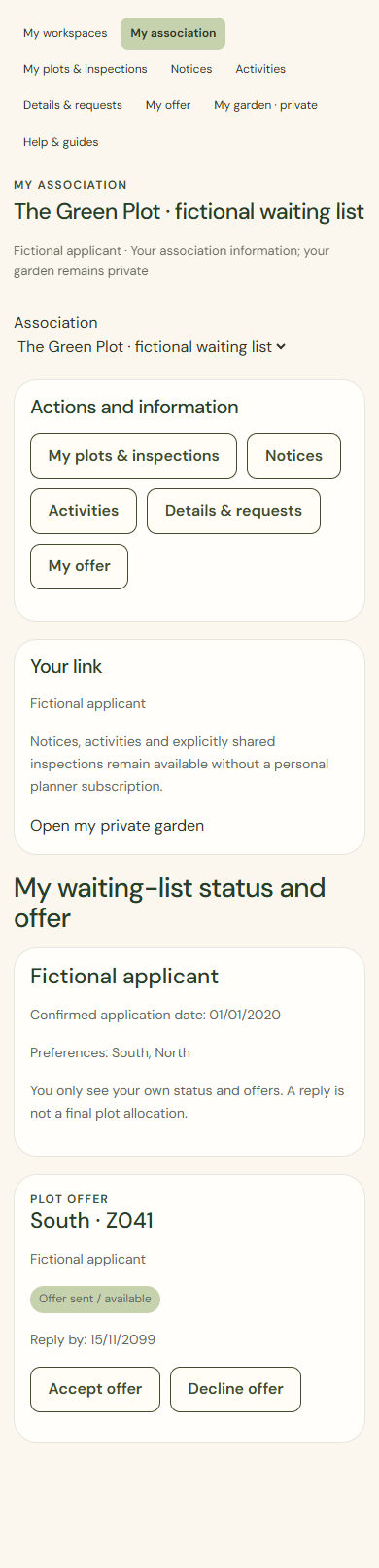
Mobile · Applicant portal showing its own fictional offer; other applicants are hidden. Accept offer
Check the intended offer before accepting. Contact the committee first if you have questions. You can also choose Decline offer. Acceptance is a reply for processing, not a final allocation.
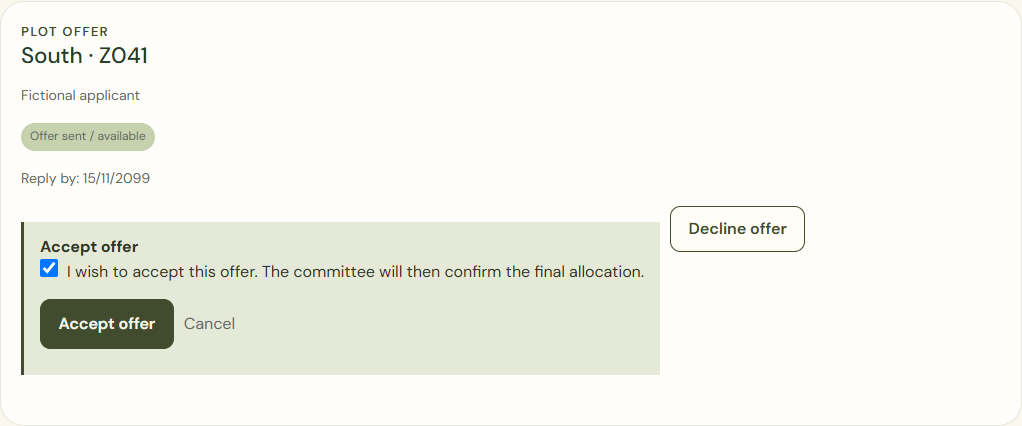
Desktop · Own fictional offer with explicit applicant confirmation, before acceptance. 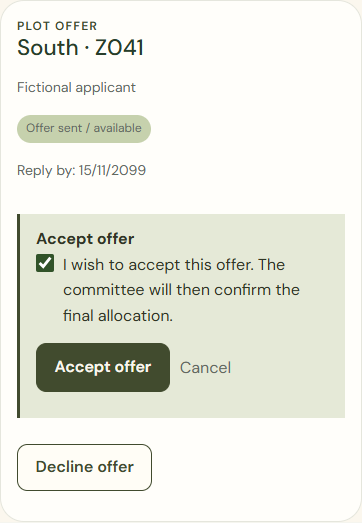
Mobile · Own fictional offer with explicit applicant confirmation, before acceptance. Check final allocation
A committee member with waiting-list, plot and membership permissions checks the household and start date. Tick the confirmation and click Record final allocation. A formal membership, household portal and garden app place must then be arranged separately where needed.
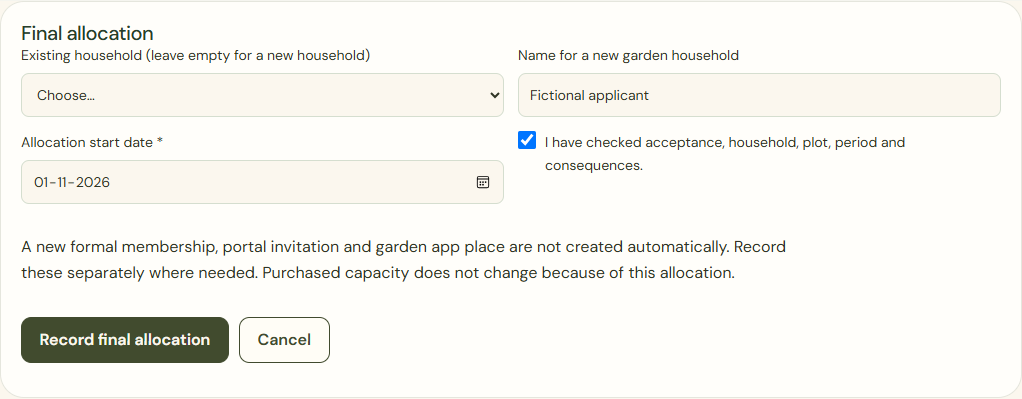
Desktop · Committee form for a separate final plot allocation after the applicant accepts. 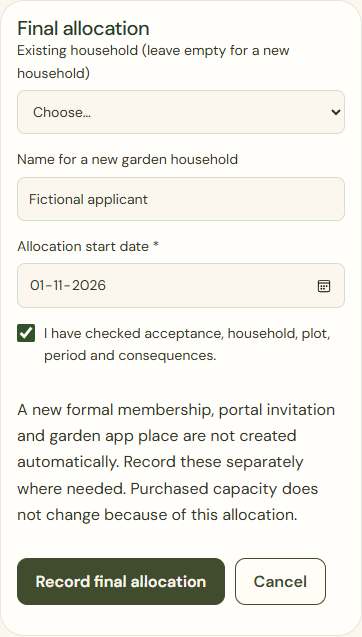
Mobile · Committee form for a separate final plot allocation after the applicant accepts.
What success looks like
The reply is recorded. An authorised administrator checks the new relationship and period before final allocation.
Who can see this?
Applicants see only their own application and offer. Acceptance does not create a membership or planner account automatically.
If something goes wrong
Expired or withdrawn offer? Do not accept it anyway. Ask the administrator to review it. Any effect of declining on your position must be clear beforehand.