
Invite gardeners and check available places
Purchased capacity, allocation, invitation and acceptance are separate steps.
This guide shows how the association area works. The functions available to you depend on your role and your association’s activation.
What do you need first?
A checked household relationship and invitation permission. Only a sponsored planner entitlement requires an available garden place.
Follow these steps
Access & garden app
Review purchased, allocated, accepted, pending and free separately. Unused reserved places are purchased capacity too.
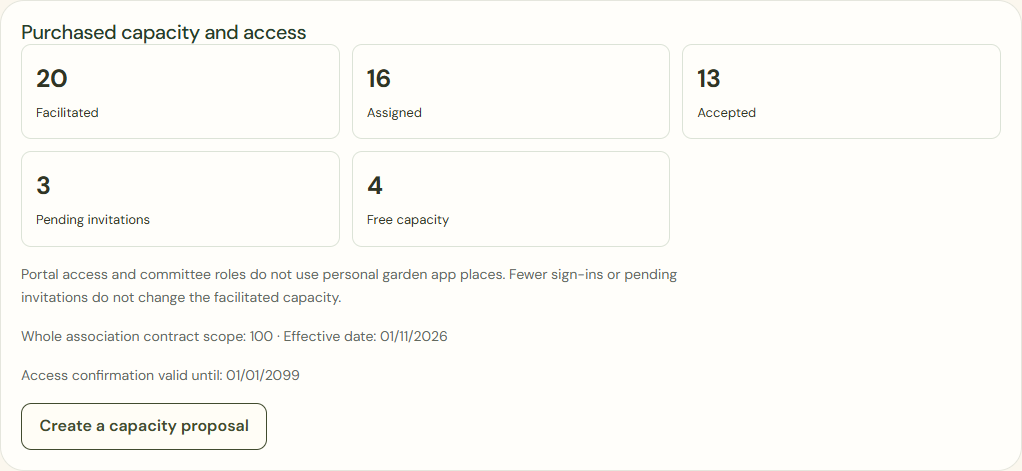
Desktop · Fictional twenty-place example: sixteen assigned, thirteen accepted, three pending and four free. 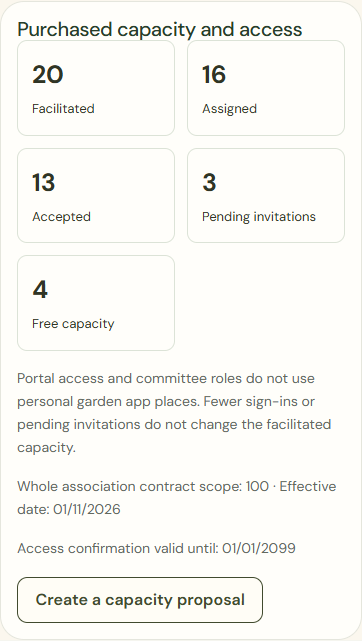
Mobile · Fictional twenty-place example: sixteen assigned, thirteen accepted, three pending and four free. Prepare invitation
Choose the intended household and check the recipient, portal access and any sponsorship. A portal invitation can work without a free planner place.
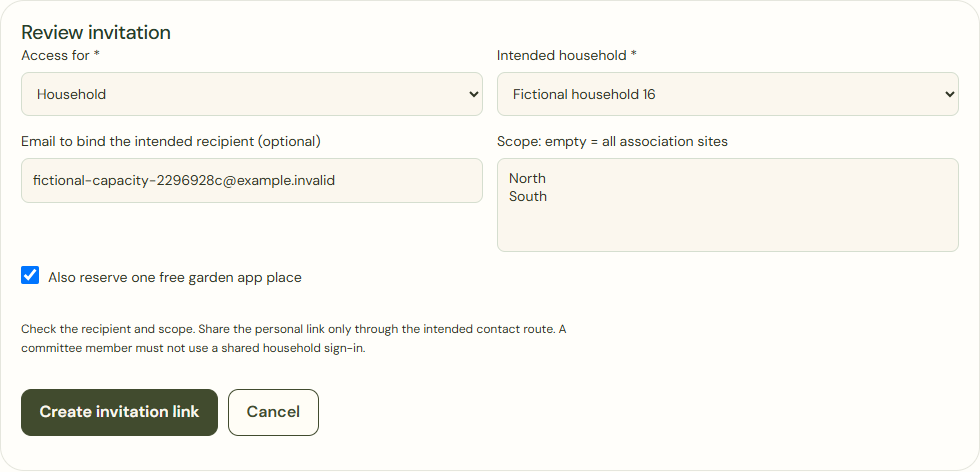
Desktop · Actual invitation review for an existing fictional household, explicitly reserving one free planner place. 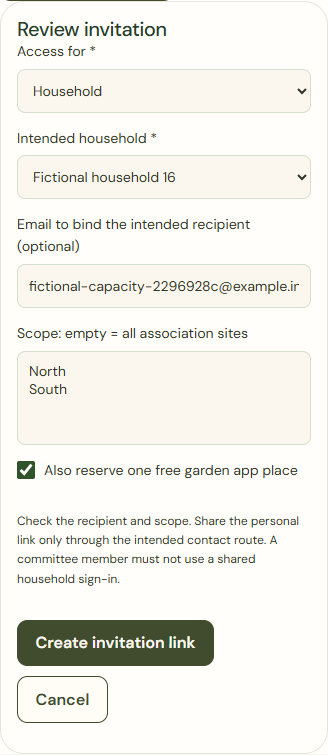
Mobile · Actual invitation review for an existing fictional household, explicitly reserving one free planner place. Create invitation link
Use the checked outgoing step or agreed printed route. Sending an invitation does not mean the gardener has accepted.
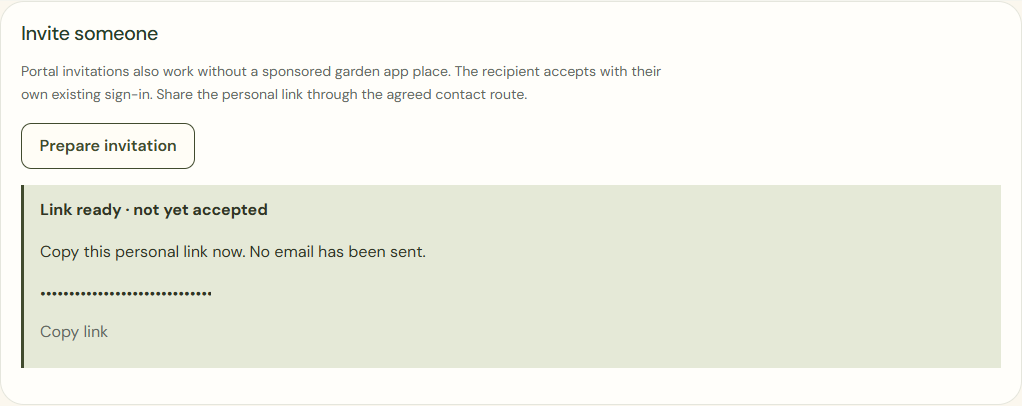
Desktop · Confirmed invitation, not yet accepted. The personal test link is masked in this screenshot only. 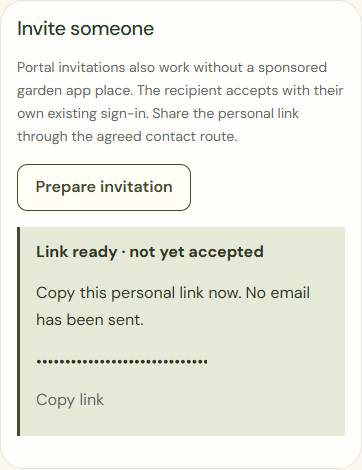
Mobile · Confirmed invitation, not yet accepted. The personal test link is masked in this screenshot only. Accept invitation
The intended gardener checks the relationship in their own account. Acceptance within purchased capacity does not change the package price.
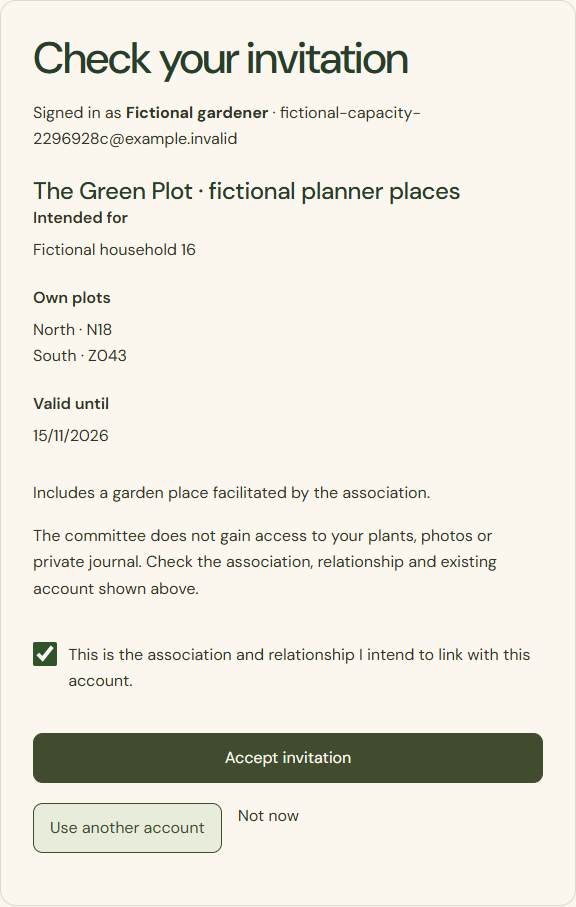
Desktop · Own review and relationship confirmation by the fictional gardener before accepting the sponsored place. 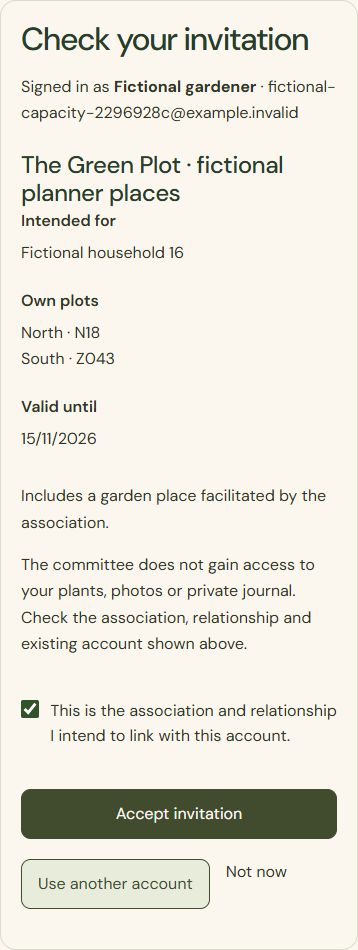
Mobile · Own review and relationship confirmation by the fictional gardener before accepting the sponsored place.
What success looks like
The access status can be checked later. A household with two plots does not automatically need two planner places.
Who can see this?
The committee sees the access status, not a password or private planting information.
If something goes wrong
No place for sponsorship? Deliberately choose another entitlement or request capacity. Do not create a dummy account. Correct an invalid or expired invitation before acceptance.